Chase unpaid invoices
- When
- An invoice is 3 days overdue.
- It does
- Emails your customer a polite reminder, again at 10 days, and never more than twice.
- You see
- A note on the invoice in Money each time a reminder goes.

Every business has jobs nobody likes doing. Chasing invoices, following up quotes, sorting emails, typing in receipts. You answer a few plain questions, we set up the ones you say yes to, and you stay in charge of what goes out.
From $149 a month, plus GST. Bigger jobs quoted in writing first.
In the app, or with us on the video call, you answer questions like these. A Yes tells us what to set up. Not sure is fine too, and we'll talk it through.
Do you want your emails sorted and replies drafted for you?
Enquiries in your email go into one list, with a reply written for you to check.
Do you want quotes followed up if the customer hasn't answered?
If a customer hasn't answered a quote in 5 days, they get one friendly email.
Do you want customers reminded about unpaid invoices?
Customers get a polite reminder when an invoice is overdue, twice at most.
Do you want your receipts and bills added to your bookkeeping?
Snap or forward receipts and bills, and the details are filled in and copied to your books.
Do you want your bank lines sorted into the right categories for you?
Each line of your bank statement gets a suggested category for you to check.
Do you want past customers reminded when their next service is due?
Past customers hear from you when their next service is due.
In the app, a Yes goes straight to Viri, and you hear back when it's running.
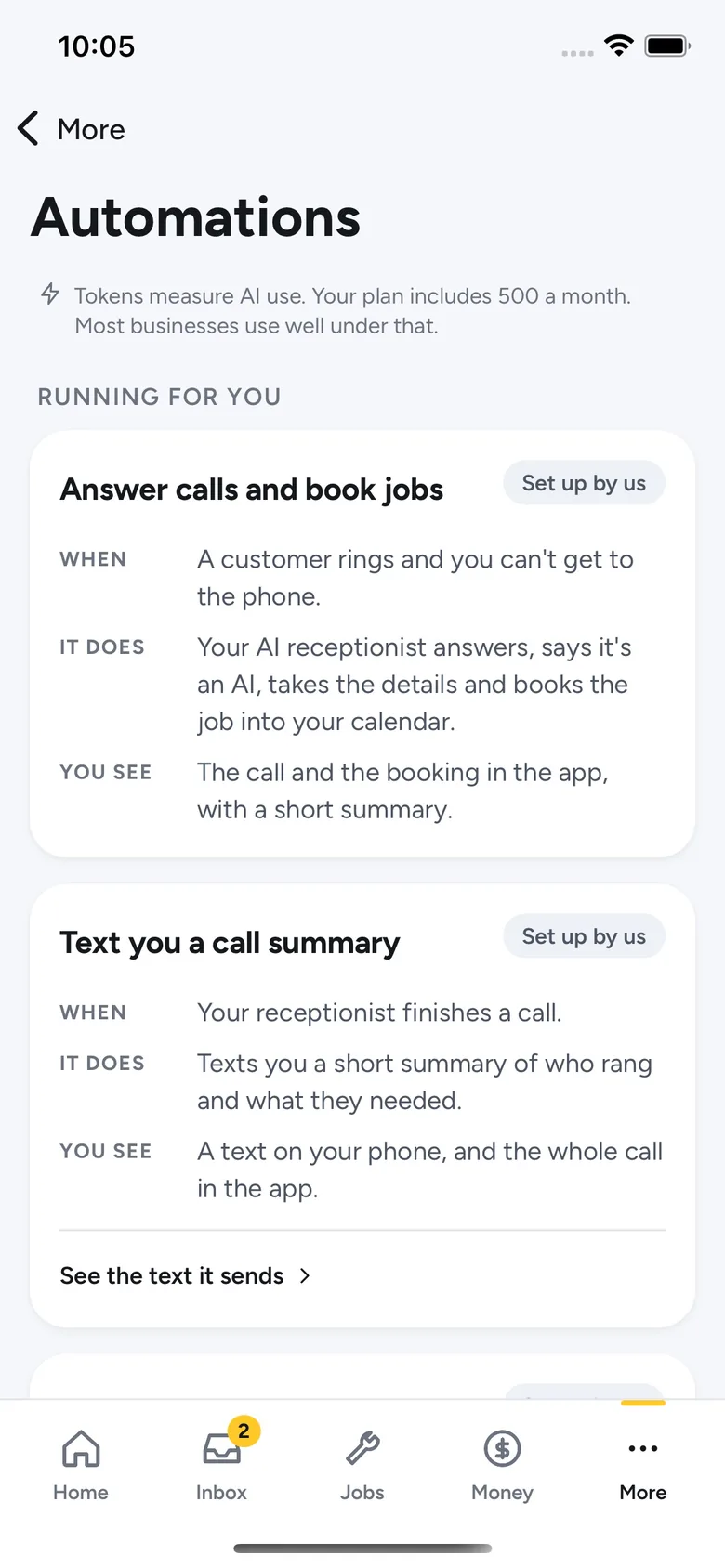
When it runs, what it does, and where you'll see it. These are real cards from the app, word for word.
Yes, No or Not sure, in the app or with us on the video call.
We set up what you said yes to and check it with you before it goes live.
We watch it and fix it if it breaks. Each time it does its job counts as one run, and your plan has a monthly allowance.
Good to know. It only does the jobs we set it up for. Anything unusual still needs you. Bigger or unusual jobs are quoted in writing before we start.
We set up the boring admin to run on its own: follow-ups, reminders, quote chasers, review requests. A set-up fee to build it, a monthly fee to keep it running.
One job you want off your plate
$149 a month, plus GST
$490 one-off set-up, plus GST
Book a video call about AI Automation, StarterMost popular
Taking the admin off a small team
$299 a month, plus GST
$990 one-off set-up, plus GST
Book a video call about AI Automation, GrowthBusinesses running a lot through their systems
$549 a month, plus GST
$1,490 one-off set-up, plus GST
Book a video call about AI Automation, ProExtras. A run is one time an automation does its job, like sending one reminder. Extra runs: $10 per 1,000. Extra automations built from $490 each. Our prices are all plus GST. Bundle two or three services and save.
Any business with admin that eats the evening. Pick yours to see the questions that matter most.
No. Answer the questions with Yes, No or Not sure, and we'll talk through the rest on the video call.
No. Every automation is one card that says when it runs, what it does and where you'll see it. You can read the exact email it sends.
No. We never ask for your passwords. We help you connect the tools you already use.
One time an automation does its job, like sending one reminder. Your plan has a monthly allowance, and we text you at 80%.
Book a video call. We'll go through the questions with you and say what's worth setting up, and what isn't.